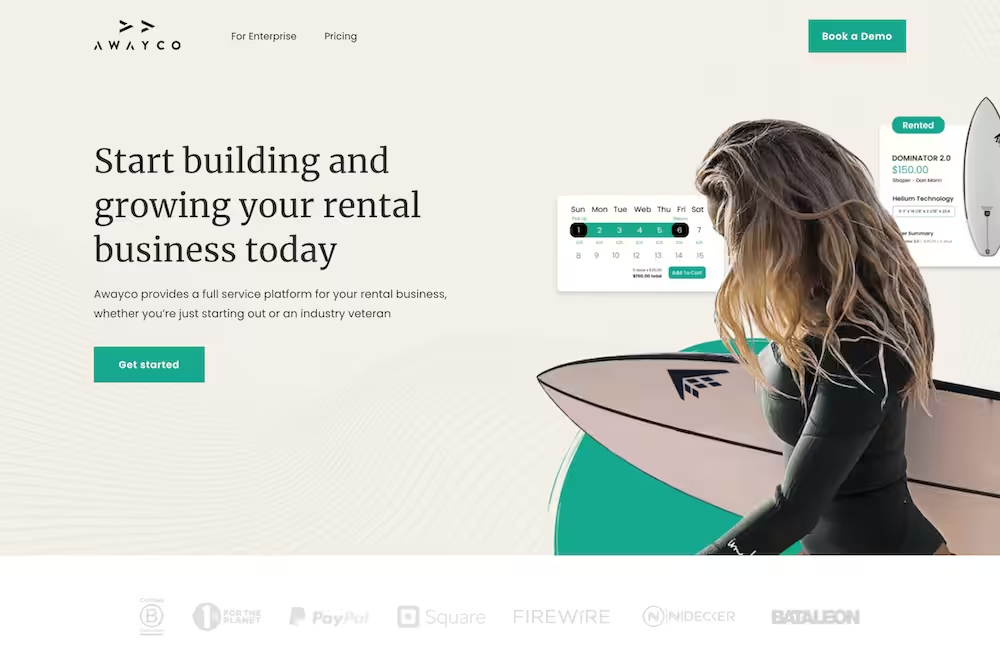
If you run an agency website, you probably want more visitors to actually become clients, right?
That’s exactly what this post is about. You’ll see call to action examples that work in 2026.
Without strong CTAs, visitors might read your site, like what they see, and then leave without taking any next step. That means fewer leads, fewer projects, and missed opportunities for growth.
In this blog post, you’ll get 12 real call to action examples from agency websites.
You’ll also learn…
- What makes a CTA clear
- Where to place it
- And how to write it so visitors know exactly what to do next
Let’s get into it…
In this article
High-converting call to action examples for agency website
1. Found
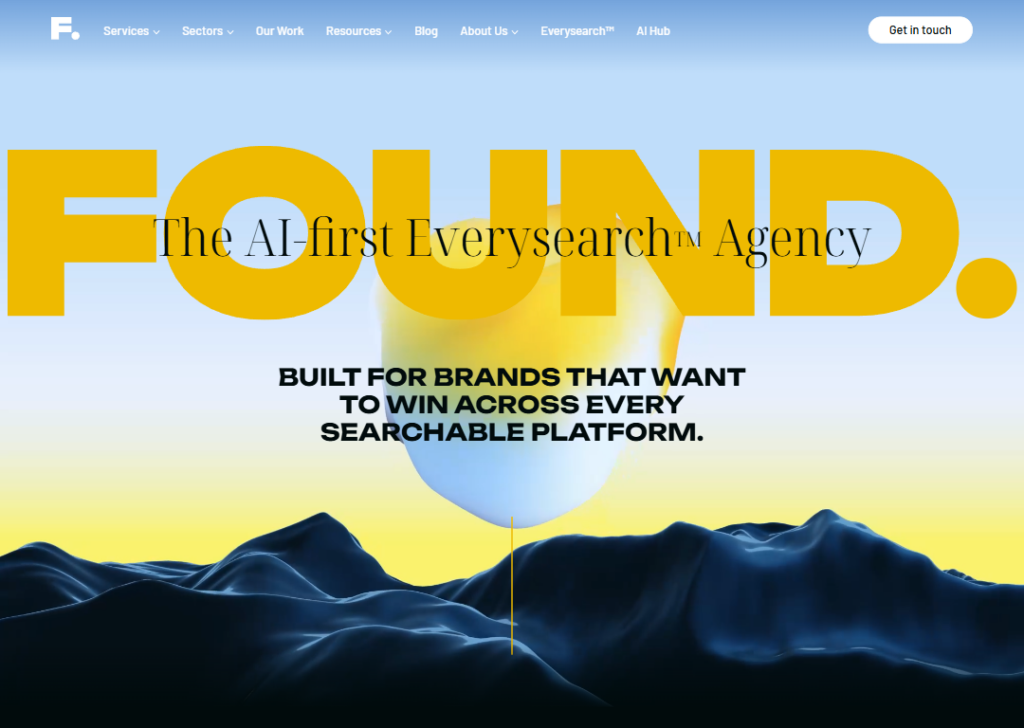
The main call to action on the Found website focuses on starting a conversation with the agency.
For example, you will see messages like “Get in touch” or prompts encouraging visitors to contact the team or email them.
The CTA is simple and direct. It pushes visitors toward one main step: talk to the agency about their project.
They also repeat this idea in different places on the site, like the contact page and service pages. This keeps reminding visitors what to do next.
The CTA works well because it feels natural. After reading about their services and results, the next clear step is to reach out and start a discussion with their team.
2. Charle Agency
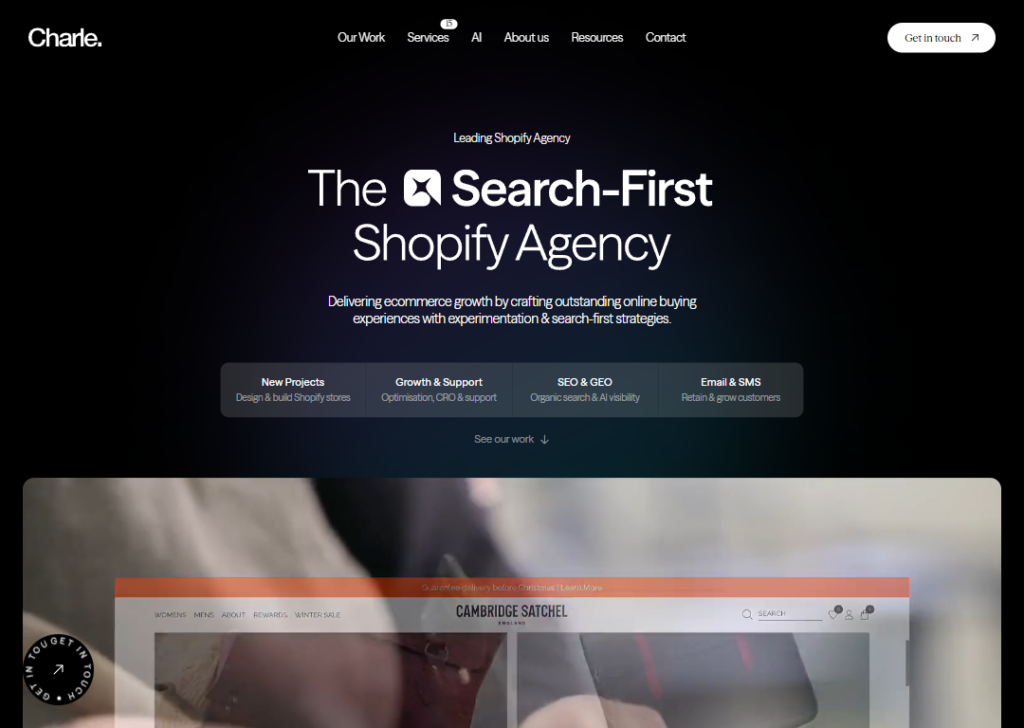
The Charle website uses CTAs that encourage visitors to explore their work and talk with the team.
Some examples include “Explore Our Work,” “Explore SEO Services,” and “Get in touch.”
These CTAs appear many times as you scroll through the page.
After showing case studies or explaining a service, the site gives you a button to learn more or contact them.
This is a smart approach because it matches what the visitor is doing. If someone is reading about their services, the CTA invites them to explore deeper or start a conversation.
The CTAs guide visitors step-by-step instead of pushing them too quickly into contacting the agency.
3. CEEK Marketing
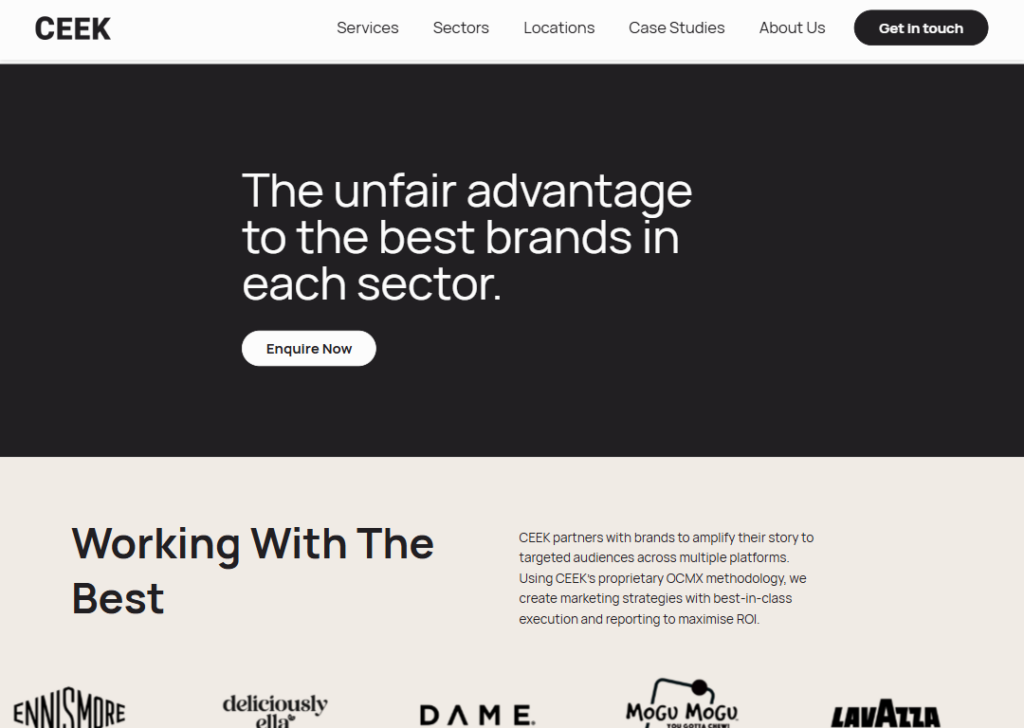
The main CTA on the CEEK website is “Enquire Now.”
This button appears near the top of the homepage. It invites visitors to ask about working with the agency.
The message is simple and clear. It tells visitors that the next step is to send a request or ask questions about their marketing services.
On the contact page, CEEK provides contact options using a form that says “let’s start with your full name”.
This approach works well because it removes confusion. Visitors immediately understand how to reach the agency.
The CTA focuses on starting a conversation and turning interested visitors into potential clients.
4. WEBRIS
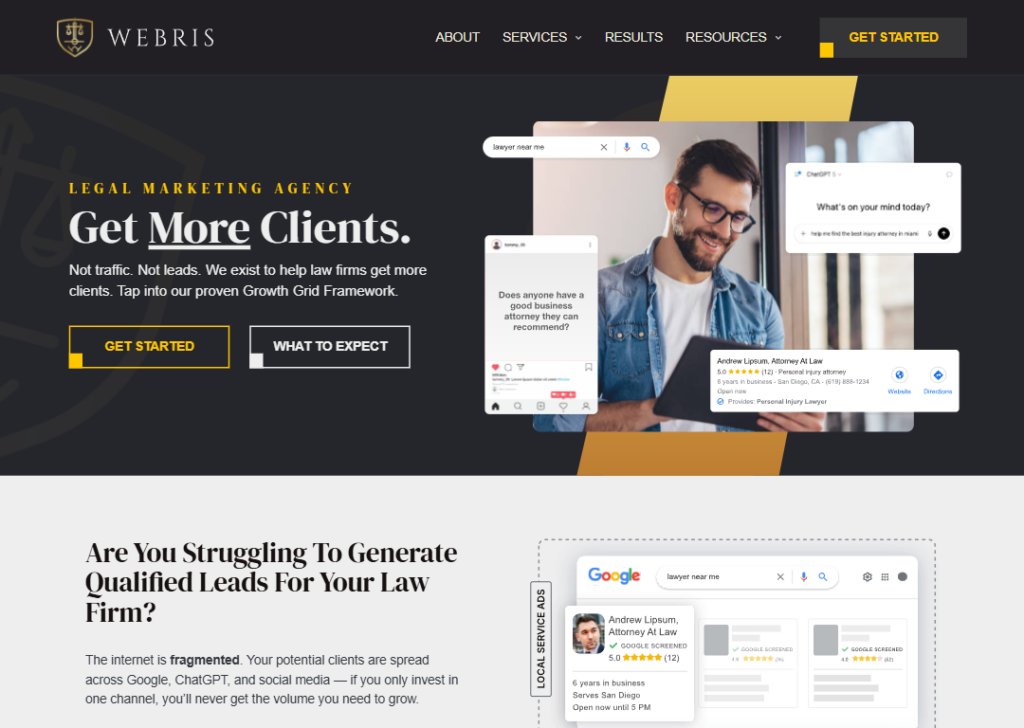
WEBRIS uses very strong and clear CTAs focused on results.
Examples include “Book Discovery Call,” “Get Started,” and “Help Me Get More Leads.”
These CTAs promise something valuable.
Another smart thing they do is explain what will happen during the call. They tell visitors they will review performance, find growth opportunities, and create a roadmap.
Because the CTA clearly shows the benefit, visitors understand why they should take action.
5. NinjaPromo
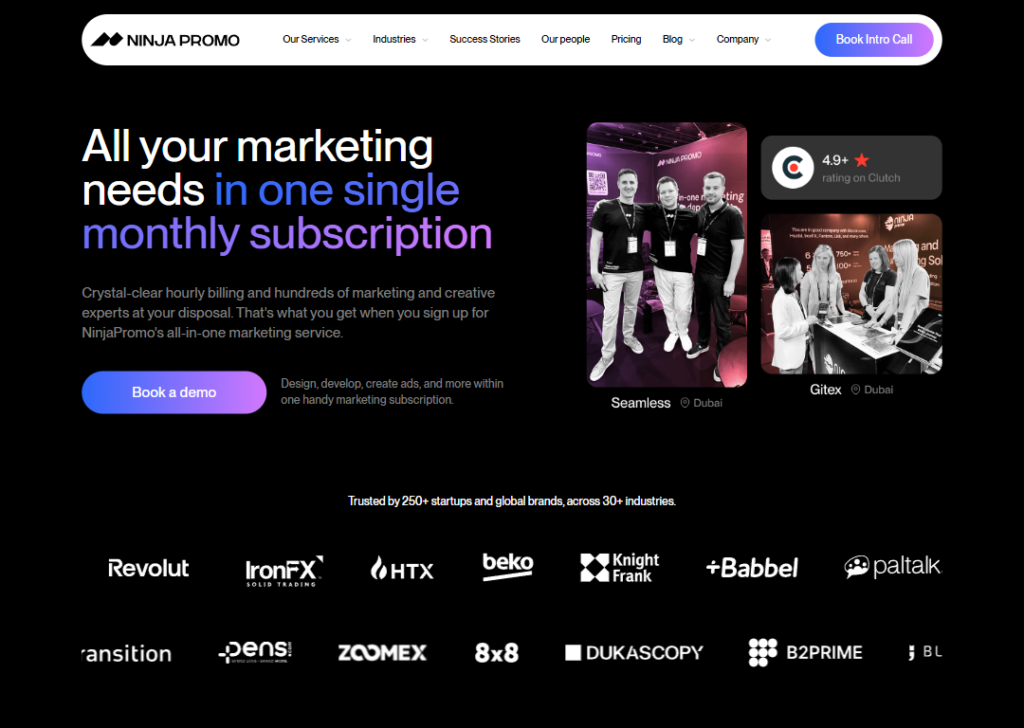
NinjaPromo uses CTAs that focus on booking a meeting with their team.
Examples include “Book a demo,” “Book Intro Call,” and “Get a Free Consultation.”
These buttons appear throughout the site, especially near pricing plans and service sections. When visitors see a plan they like, the CTA invites them to talk with the team about it.
This works well because the CTA feels helpful rather than pushy.
Instead of just asking people to contact them, the site offers a useful conversation about their marketing goals.
6. Hallam
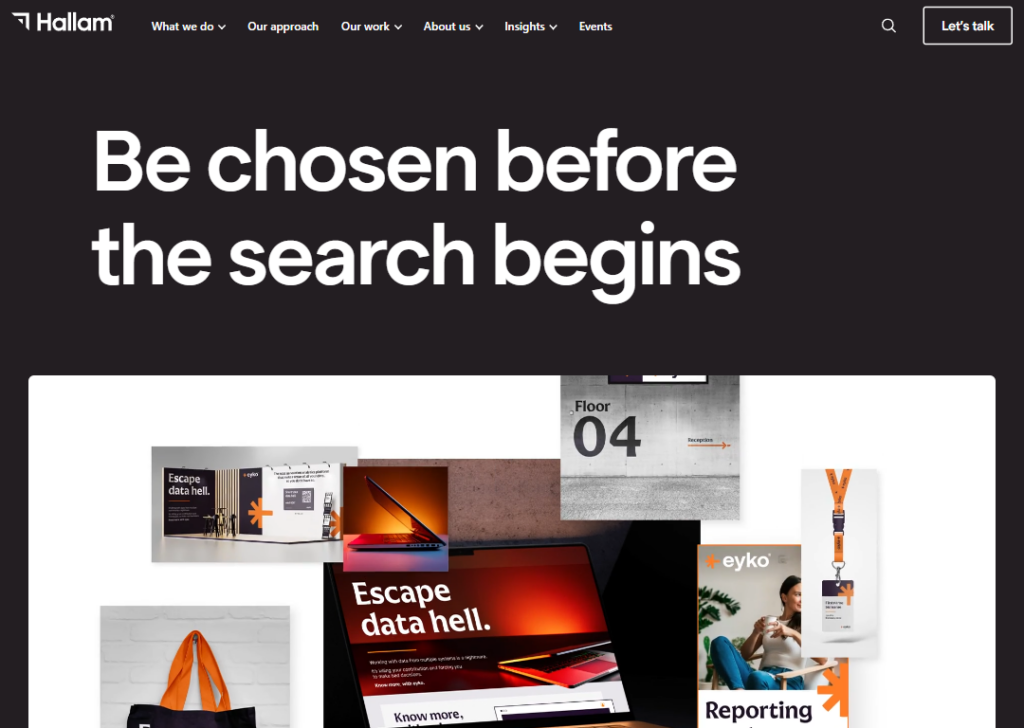
Hallam agency’s website uses clear call-to-action buttons that invite visitors to start a conversation with the team.
One common button is “Let’s talk.” Another CTA is “Get in touch.”
These buttons appear near the top of the homepage and again after sections that explain their services and results.
The message is simple: if you like what you see, talk to the team next.
This repeated CTA helps visitors know the next step without searching for a contact option on the page.
It keeps the journey simple and clear for potential clients visiting the site today online.
7. Sortlist
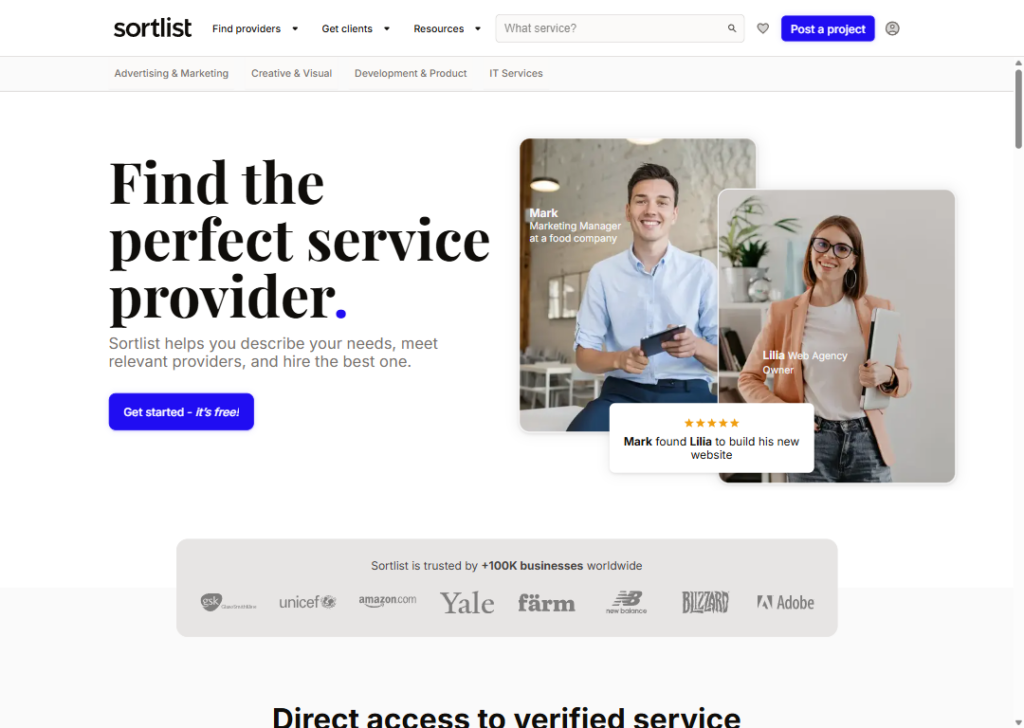
Sortlist is a platform that connects businesses with marketing agencies. Because of this, its main call-to-action focuses on helping visitors start finding the right agency.
A common CTA on the site is “Post a project,” and “Search for providers.”
This button appears on the homepage and search pages. When visitors click it, they are guided through a short process where they describe their project and needs.
After that, Sortlist suggests a service provider that match the request.
The CTA works well because it clearly explains the benefit: helping businesses quickly discover the right service provider for their project without spending hours searching online by themselves first today.
8. Black Propeller
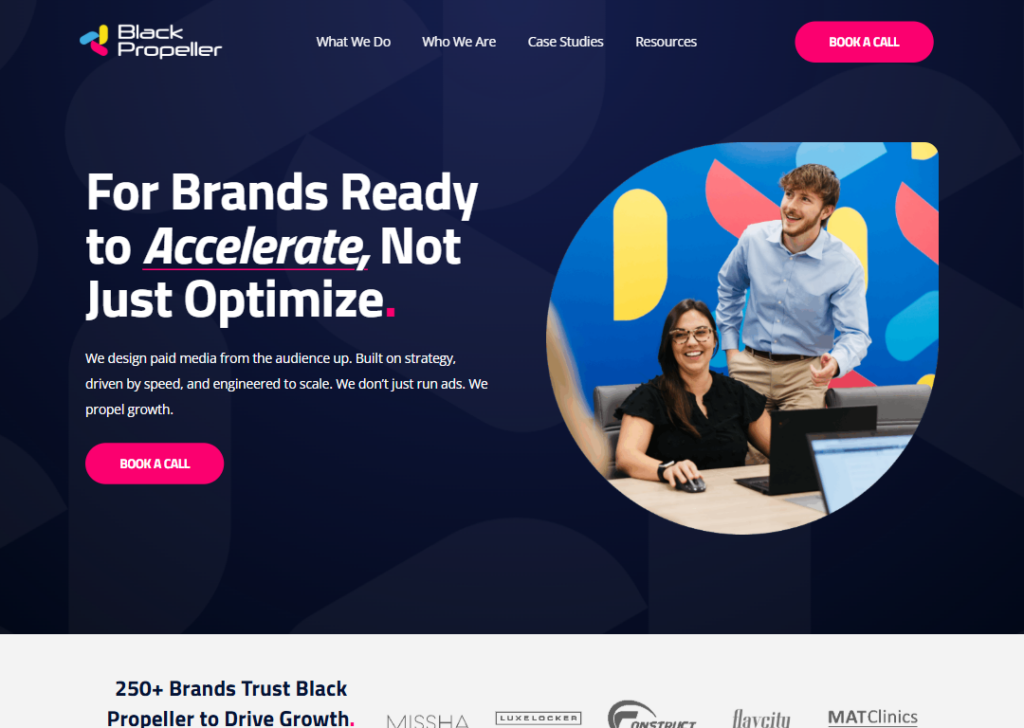
Black Propeller’s website focuses its call to action on starting a conversation with their team.
The main CTA usually invites visitors to “Book a call” or contact the agency to discuss their marketing needs.
These buttons appear near the top of the page and again at the bottom of the page.
The idea is simple. After visitors learn what the agency does, the next step is to speak with the team.
The CTA works because it feels direct and practical. Instead of confusing visitors with many options, the site pushes one main action: talk with the experts and discuss your marketing goals.
9. Onely
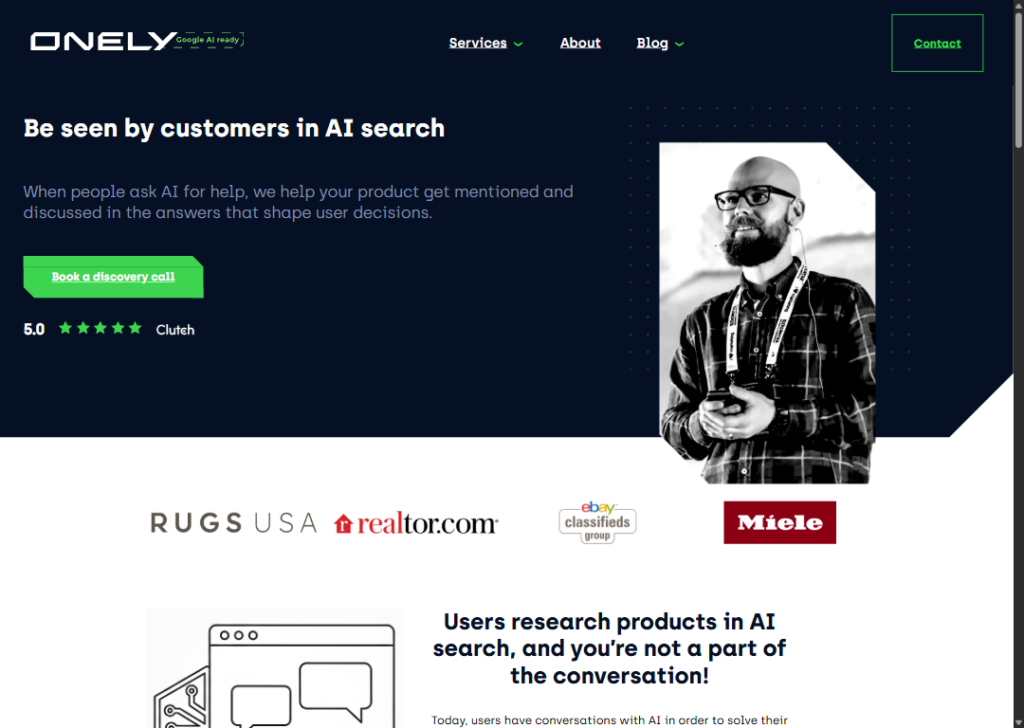
The main call-to-action on the Onely website focuses on booking a discovery call with their team.
On the homepage, visitors see buttons like “Book a discovery call,” “Book your free strategy call,” and “Get discovered.”
These buttons appear near the top of the page and again after sections that explain their services and results.
The idea is simple. After explaining how they help brands appear in AI search results, the site invites visitors to talk with their experts. Many service pages repeat the same CTA: “Book a discovery call.”
This works well because the message is clear. If a company wants help improving visibility in search or AI answers, the next step is to schedule a call with the team and discuss their goals together.
10. WebFX
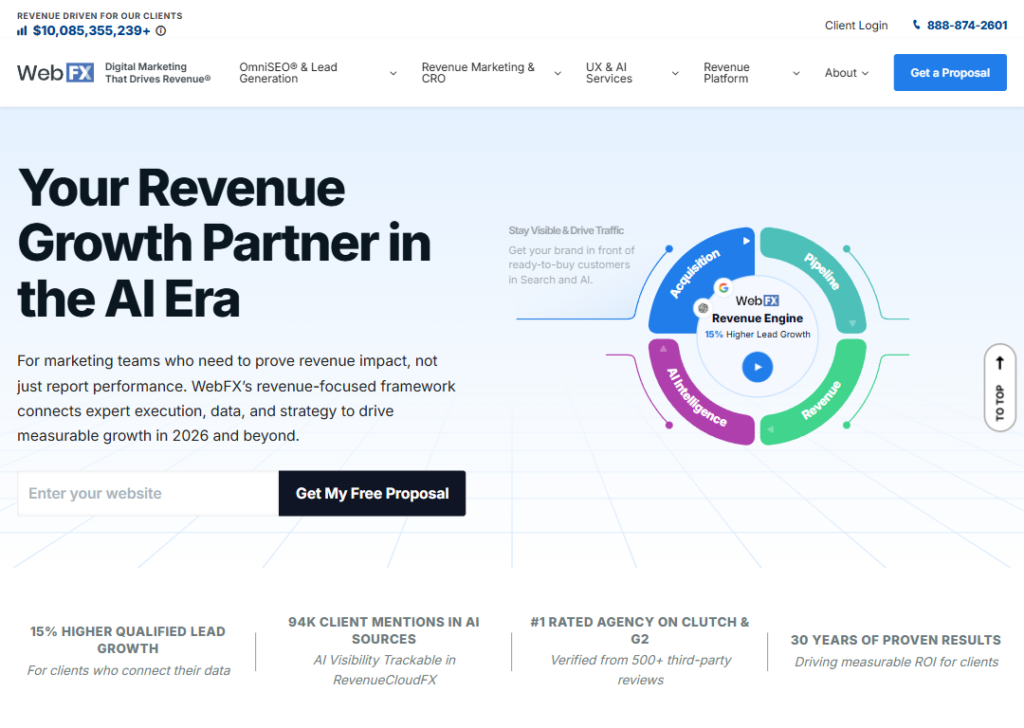
On the WebFX website, the main call-to-action focuses on getting businesses to request a free proposal.
You will see a clear button that says “Get a proposal.” This button appears near the top of the page and in many sections across the site.
When visitors click the button, they are taken to a page where they can share details about their business, website, and marketing goals.
After that, the WebFX team prepares a custom proposal explaining how they can help grow the business.
WebFX also places this CTA after sections that explain their services, results, and case studies.
This works well because visitors first learn about the agency, then they see a clear next step: request a proposal and see how WebFX can help their business grow.
11. Scalero
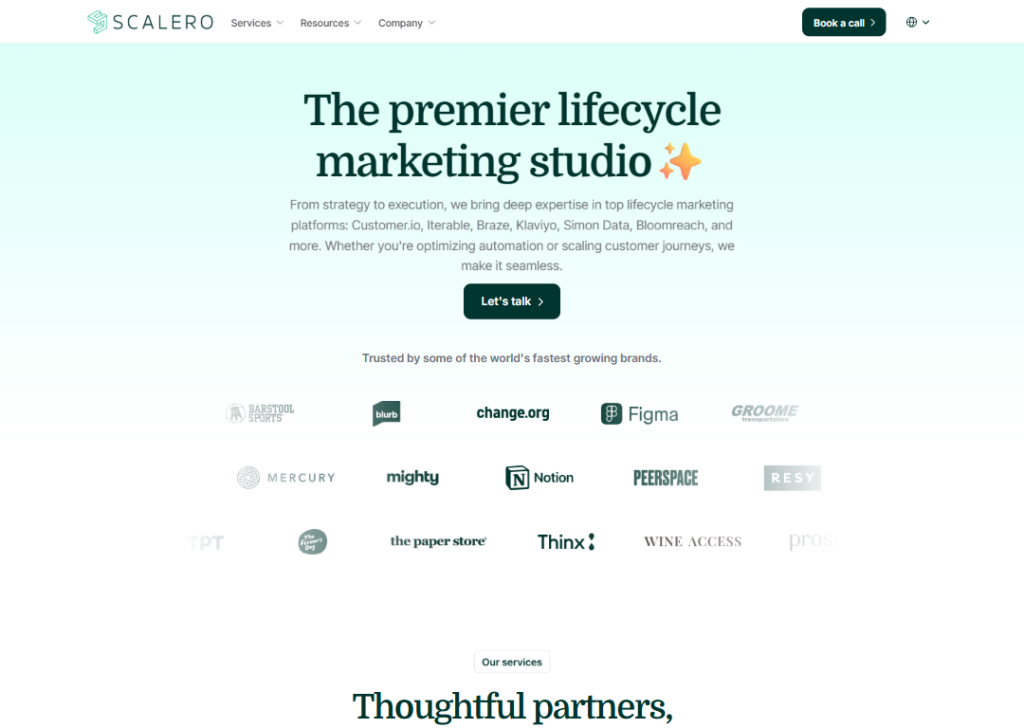
On the Scalero website, the main call-to-action focuses on starting a conversation with their team.
You will see buttons like “Let’s talk” and “Book an intro call.”
These buttons appear near the top of the page and again near the bottom after the site explains their services.
The message is simple. After visitors learn about their email and lifecycle marketing services, the site invites them to speak with the team and discuss their needs.
The website also gives another option: visitors can email the company directly if they prefer.
This CTA works well because it clearly shows the next step. If a company needs help with email marketing or automation, they can book an intro call and start the conversation with Scalero’s team.
12. NoGood
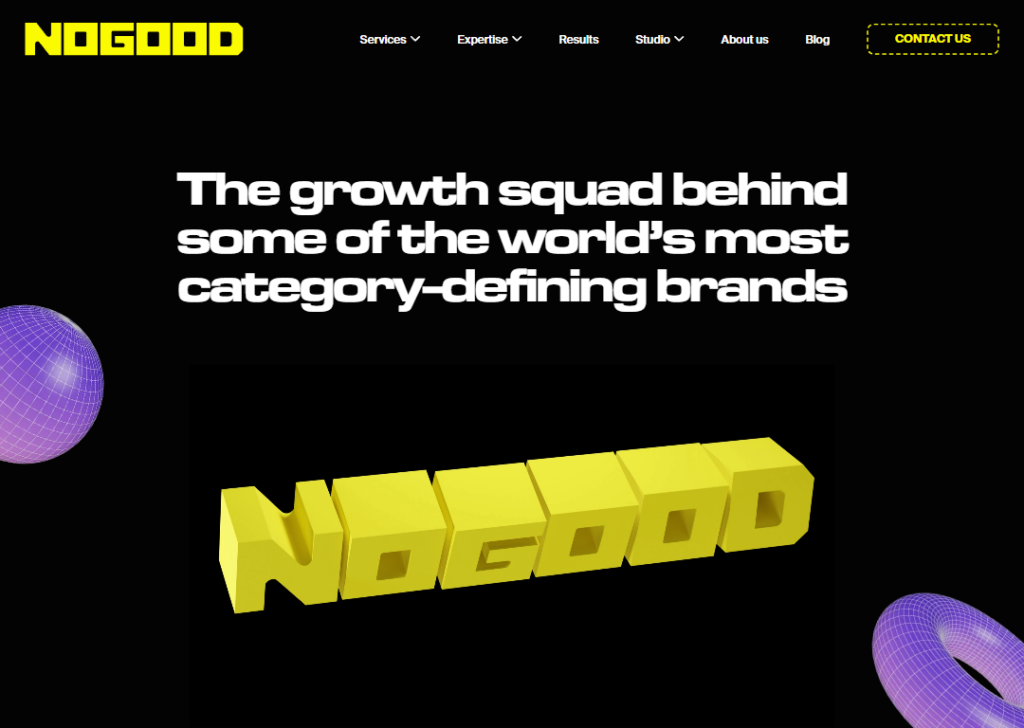
On the NoGood website, the main call-to-action focuses on encouraging visitors to contact the team and start a conversation.
The common CTA is “Contact Us.” This button appears near the top of the homepage so visitors can easily find it when they first arrive.
The site also uses another CTA near the bottom that says “Drop us a line.” This message invites visitors to send a message or reach out if they want help with growth marketing.
These CTAs appear after sections explaining their services, results, and case studies.
The idea is simple. First, the site shows how they help brands grow. Then it invites visitors to contact the team and start working together.
10 call to action best practices for agency website
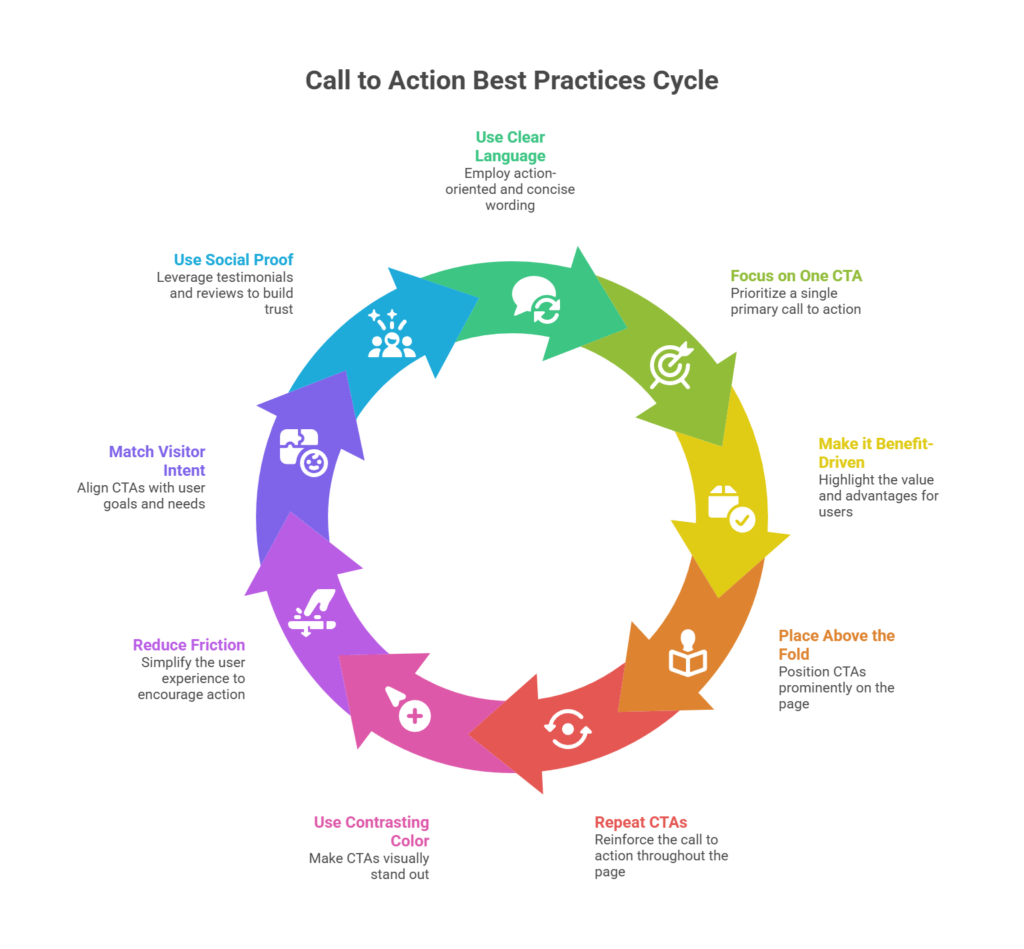
Seeing different examples of call-to-action buttons you can use on your agency website is helpful.
But examples alone are not enough. You also need a guide that shows you how to apply those ideas on your own website.
In other words, it’s one thing to see a CTA like “Book a Strategy Call.” It’s another thing to know where to place it, how to write it, and how to design it so people actually click it.
That’s why it’s important to understand the best practices behind high-converting call-to-action buttons.
Here are 10 call-to-action best practices for agency websites you can follow:
1. Use clear, action-oriented language
The message on your call-to-action button must be clear.
For example, imagine you see a button that says “Submit.” Submit what? A form? A request? A message? The visitor has to guess.
Now compare that with a button that says “Get a Free Website Audit.” This is clear. The visitor knows exactly what they will get after clicking.
The same goes for buttons like “Book a Strategy Call” or “Start Your Project.”
Clear language removes confusion. And when people are not confused, they are more likely to click.
So instead of using vague words like “Click Here” or “Submit,” always use words that explain the action and the result.
This makes your website easier to understand and increases the chance that visitors will take action.
2. Focus on one primary CTA
Many agency websites make one big mistake. They add too many call-to-action buttons on the same page.
One button says “Book a Call.” Another says “Download Guide.” Another says “Contact Us.” Another says “Start Now.”
When visitors see too many options, they get confused. Instead of choosing one, they often choose none and leave the website.
A better approach is to focus on one main action you want visitors to take.
For example, if your main goal is to talk to potential clients, your main CTA could be “Book a Strategy Call.”
You can still have smaller CTAs on the page, but one should clearly stand out more than the others.
Think of it like guiding someone through a door. If you show them ten doors, they may hesitate. But if you show them one clear door, they walk through it.
A focused CTA makes it easier for visitors to decide what to do next.
3. Make the CTA benefit-driven
People click on buttons when they understand what they will gain from clicking.
If your CTA only says “Contact Us,” it does not tell visitors why they should click. They may wonder, What will happen after I contact you?
But if the button says “Get a Custom Growth Plan,” the benefit becomes clear. The visitor knows they will receive something valuable.
Another good example is “See How We Can Increase Your Traffic.” This speaks directly to a problem many businesses have.
A benefit-driven CTA focuses on the result the visitor wants. Instead of thinking about what you want the visitor to do, think about what the visitor wants to achieve.
Do they want more sales? More traffic? A better website?
Your CTA should highlight that result.
4. Place CTAs above the fold
When someone lands on your website, they first see the top part of the page. This area is called “above the fold.”
It means the part visitors can see without scrolling down.
This area is very important because many people decide within seconds whether they want to stay on a website or leave. That is why your call to action should appear in this section.
For example, a good homepage usually starts with three simple things:
- A clear headline that explains what the agency does.
- A short sentence that explains how you help clients.
- And a visible button like “Book a Free Consultation.”
This allows visitors who are already interested to take action immediately.
Some people do not want to read a long page. They just want to take the next step quickly.
By placing the CTA at the top of the page, you make it easy for those visitors to act right away.
5. Repeat CTAs throughout the page
Not every visitor is ready to click your CTA immediately.
Some people want to learn more about your agency before taking action. They may read about your services, look at your past work, or check testimonials from clients.
If the CTA only appears at the top of the page, these visitors may finish reading the page and then wonder, “What should I do next?”
That is why it helps to repeat your CTA in different parts of the page. For example, you can place a CTA:
- After explaining your services.
- After showing client testimonials.
- At the end of the page.
This way, when the visitor finally feels convinced, the next step is right in front of them.
You are simply making it easy for them to act at the right moment.
Repeating CTAs does not mean spamming buttons everywhere. It just means placing them in smart spots where visitors naturally decide.
6. Use contrasting colors
Your call-to-action button should be easy to notice on the page.
If the button blends in with the rest of the website, many visitors may not even see it. This is why color choice matters.
For example, imagine a website that mostly uses white and light blue. If the CTA button is also light blue, it may disappear into the design.
But if the button is bright orange or green, it immediately catches attention.
The goal is not to make the button look ugly. The goal is to make sure it stands out clearly from the background.
When the button stands out, visitors can quickly find the next step to take.
Designers often test different colors to see which one attracts more clicks.
So when designing or redesigning an agency website, always ask this question: “If someone scans this page for three seconds, will they easily notice the CTA button?”
If the answer is yes, you are doing it right.
7. Reduce friction
“Friction” simply means anything that makes an action harder to complete.
On many websites, the problem is that the next step feels too complicated.
For example, imagine clicking a CTA and seeing a form with 15 questions to fill out. Many visitors will immediately leave because it feels like too much work.
A better approach is to keep things simple. Instead of asking for too many details, start with a short form. You might only ask for a name and email address.
Another option is to use a simple booking calendar where visitors can quickly choose a time for a call.
The easier the process is, the more people will complete it. Every extra step creates more friction. And more friction means fewer conversions.
So always try to remove unnecessary steps and make the next action feel quick and easy for visitors to complete.
8. Add microcopy for reassurance
Sometimes visitors hesitate before clicking a button. They may wonder things like:
- Will this cost money?
- Will someone call me immediately?
- Will I start receiving spam emails?
These small doubts can stop people from taking action. That is where microcopy helps.
Microcopy is the small text placed near a call-to-action button to reassure visitors. For example, under a CTA button you might add a short line like:
- “Takes less than 30 seconds.”
- “No commitment required.”
- “Free consultation.”
These simple messages remove fear and make the action feel safer.
Think of microcopy as a small voice that answers the visitor’s hidden questions. It does not need to be long. Even a few words can make a big difference.
9. Match the CTA with visitor intent
Not every visitor comes to your website for the same reason.
Some people land on a blog post because they want to learn something. Others visit a service page because they may want to hire an agency.
This means the CTA should match what the visitor is looking for.
For example, if someone is reading a blog post about SEO tips, they may not be ready to hire an agency yet. A better CTA might be “Download the SEO Checklist.”
But if someone is already on your service page, they are likely considering working with you. In that case, a CTA like “Book a Strategy Call” makes more sense.
The key idea is simple: the CTA should feel like a natural next step.
When the action matches the visitor’s goal, it feels helpful rather than pushy. And when it feels helpful, more people will take that next step.
10. Use social proof near the CTA
People feel more confident taking action when they see that others have already done the same thing.
This idea is called social proof.
For example, imagine you are about to click a button to book a call with an agency. If you see a message that says “Trusted by 120+ businesses,” it makes the decision easier.
You might also see logos of well-known companies that have worked with the agency. Or you may see a short testimonial from a happy client.
These small signals show visitors that other people trust the agency.
When social proof appears close to the CTA button, it helps remove doubt right before the visitor decides to click. It is like hearing a recommendation from someone else.
The message becomes clear: “Other businesses trusted us and got results. You can too.”
That extra confidence often leads to more clicks and more inquiries.
Wrapping up
A good call to action can turn a simple website visit into a real client conversation.
As you saw from the examples above, the best CTAs are clear, easy to notice, and focused on one simple next step.
But a strong CTA only works well when the whole website is designed to guide visitors toward it.
That’s where we come in.
At Block Agency, we design agency websites with conversion in mind. Every page, section, and button is built to help turn visitors into leads.
If you want a website that brings in clients, reach out to us here: hey@blockagency.co
Frequently asked questions
What are some common call to action examples used on websites?
Some common call to action examples include “Get started,” “Book a free call,” “Download now,” “Start your project,” and “Get a quote.” These CTAs tell visitors what action to take. Businesses use them to guide users toward signing up, contacting the team, or buying a product.
How many call to action should a webpage have?
A webpage should focus on one main call to action, but it can repeat the same CTA in different places. For example, a page may show “Book a call” at the top, middle, and bottom. This makes it easier for visitors to take action whenever they are ready.
Where should call to action appear on a website?
Call to action should appear in important areas of a website. These include the top of the homepage, service pages, blog posts, and the end of a page. Placing CTAs in different sections makes it easier for visitors to take action when they are ready.