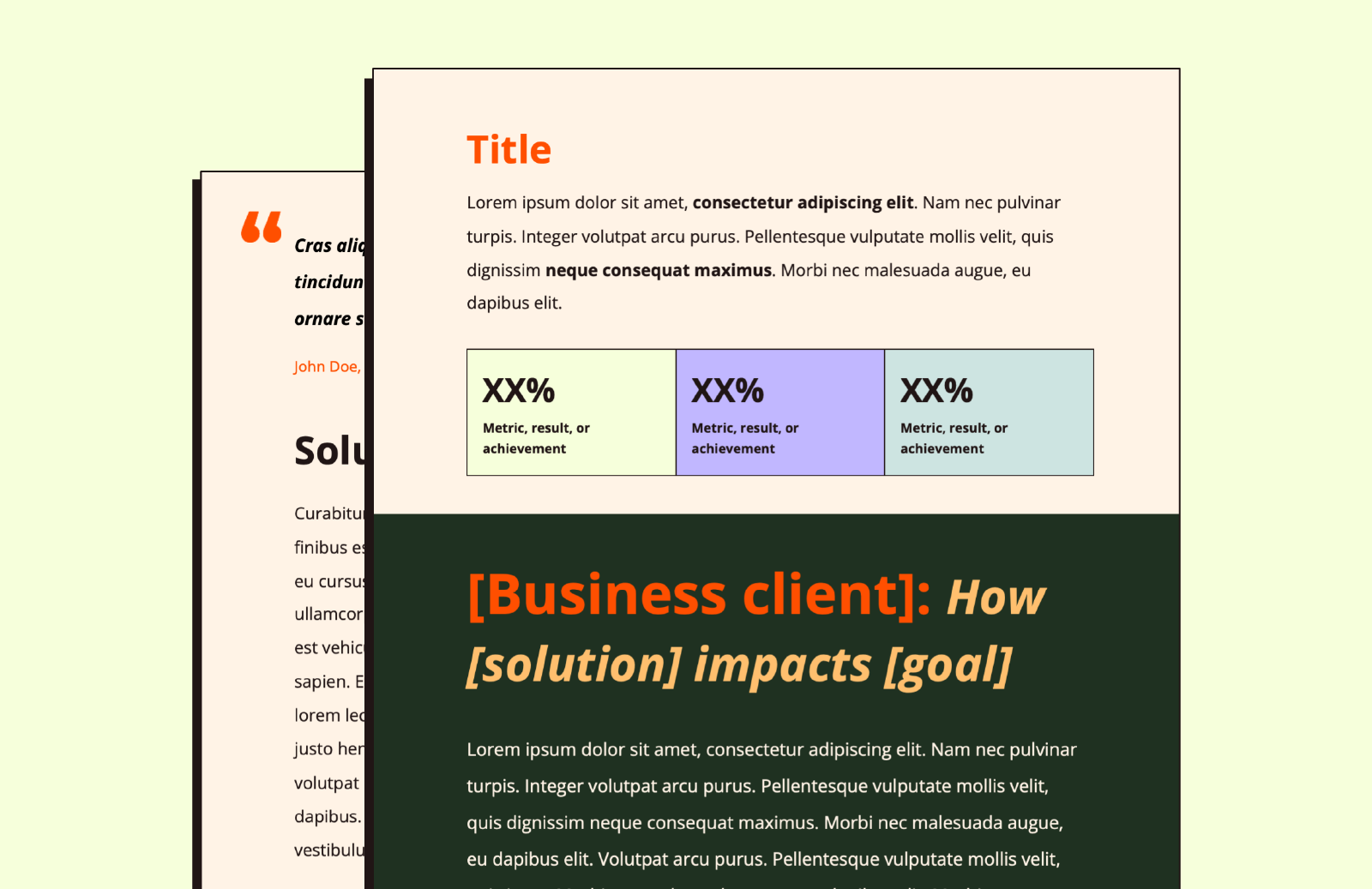
After hours of research, we found 10 quality case study templates you can use to present your work results and win trust from prospects.
A report shows that 78% of B2B buyers check case studies before they decide to buy.
That means most people want proof of work before buying, not just promises.
But not all templates work the same. Some look good but confuse readers. Others are simple and clear, and get results.
This list covers the best case study templates for 2026, including free case study templates and paid ones.
Each one is easy to use and built to help tell a clear, strong story.
Let’s get into it…
In this article
1. Product case study template (Miro)
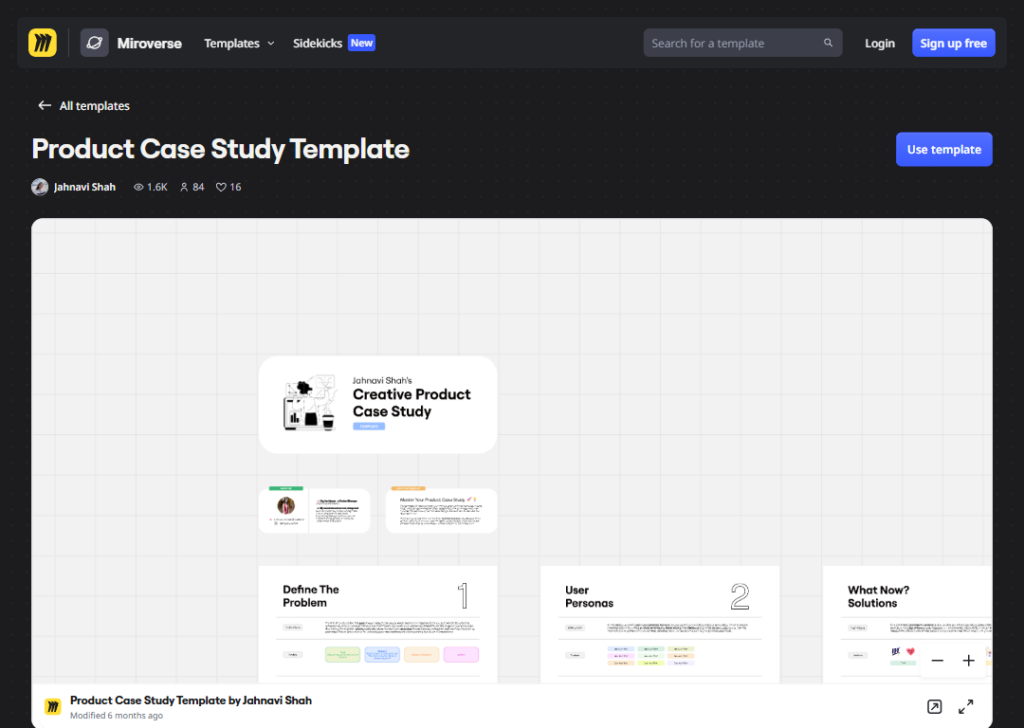
This template was created by Jahnavi Shah, a Product Manager, and has received 1.5K views, 84 uses, and 16 likes on Miroverse.
It is built to help people write strong, data-backed case studies. Mostly for those applying to product management jobs.
The creator has noted using it herself to get interviews at major companies.
The template is split into three main parts: Problem, Personas, and Solution.
- The Problem section is where you write what is broken or missing in a product.
- The Personas section is where you describe who the users are and what they need.
- The Solution section is where you explain what you would build or change to fix the problem.
How to use or customize this template:
- Open it in Miro (use the link above) and click on the “Use template” button.
- Replace the example text with your own product, company, and user details.
- In the Personas section, you can add sticky notes or cards for each type of user.
- In the Solution section, you can draw diagrams or add screenshots of your idea.
- Change the colors of any block to match your style.
If you are using it for a job interview, keep your answers short and backed by real numbers or research.
2. Single slide case study template (Miro)
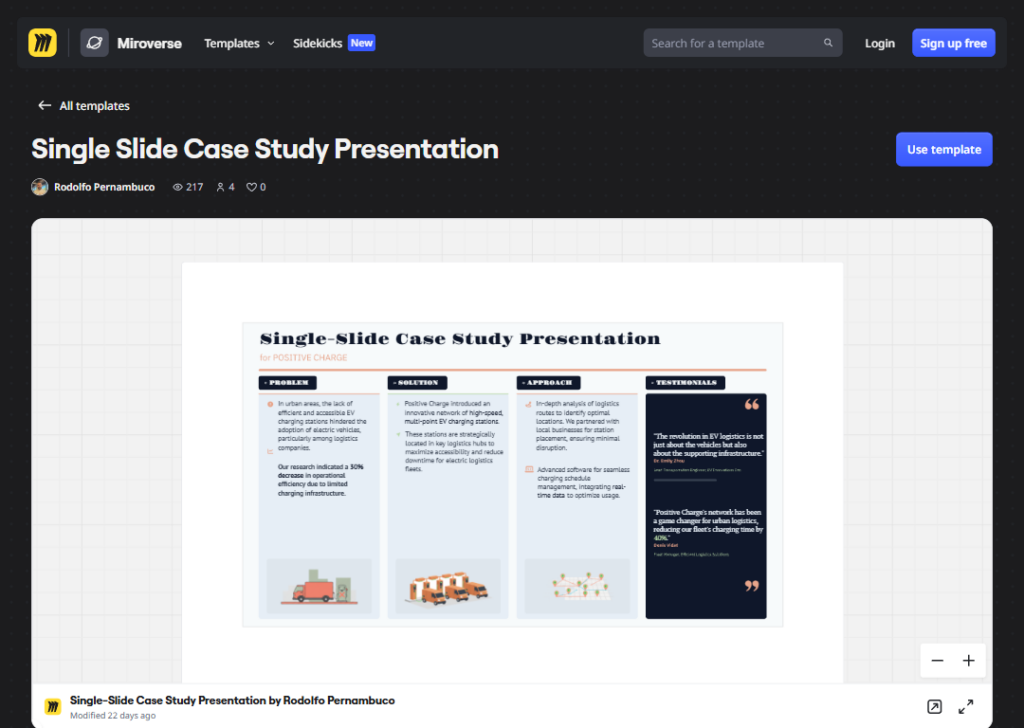
This template was created by Rodolfo Pernambuco, a Group Product Manager at BEES/AB-InBev.
It’s described as a strategic communication tool that fits the full story of a product feature or business project into one clear view.
It is made for product managers, UX researchers, and product marketers who need to present quickly and clearly.
The layout uses a 4-column structure focused on Problem, Solution, Approach, and Testimonials, with dedicated space for key metrics and integrated testimonial blocks to highlight user and stakeholder satisfaction.
How to use or customize the template:
- Open the template in Miro using the link above. Click on the “Use template” button.
- Fill in the Problem column first. Write the specific issue you faced, with a number or stat to back it up.
- In the Solution column, describe what you built or changed.
- In the Approach column, explain the steps you took.
- In the Testimonials column, add a real quote from a user or manager.
- You can swap the image placeholders with screenshots, mockups, or maps of your product.
Keep each section short (one or two sentences max), so the slide stays easy to read at a glance.
3. Data-driven case study template (Miro)
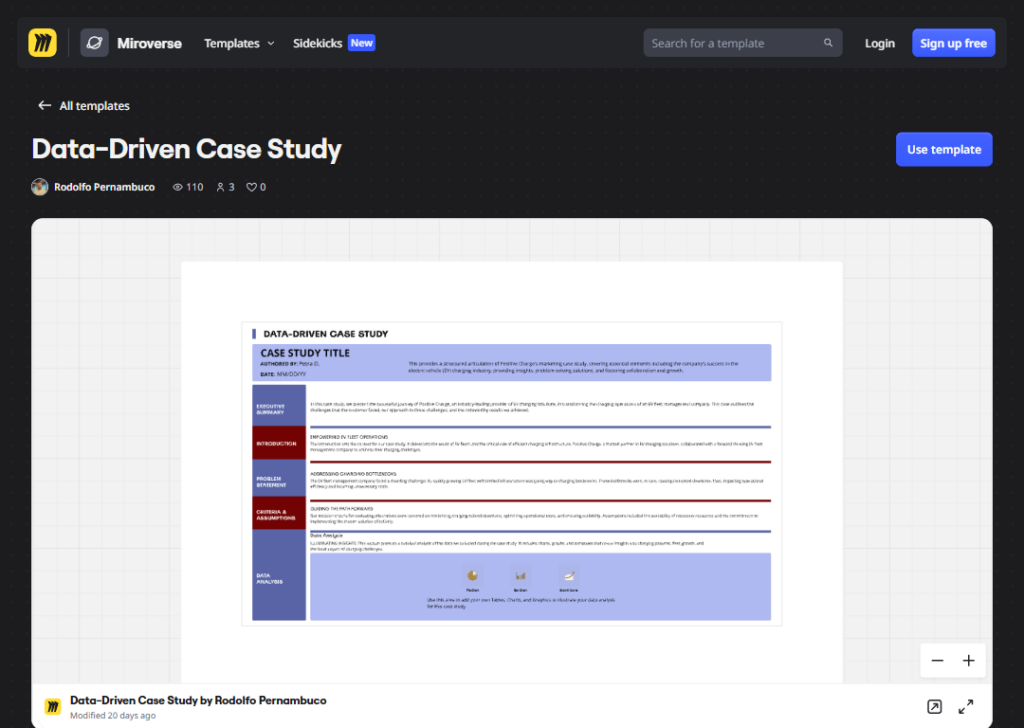
This template was also created by Rodolfo Pernambuco and is described as a single-slide format.
It covers an Executive Summary, Introduction, Problem Statement, Criteria and Assumptions, and a Data Analysis section with placeholders for pie charts, bar charts, and growth curves.
It is built for product managers, data managers, and analysts who need to present technical results in a way that non-technical people can understand.
The focus is on showing your findings through visuals rather than long paragraphs.
How to use or customize the template:
- Open the template in Miro using the link above. Click on the “Use template” button.
- Start by filling in the title, your name, and the date.
- Write a two-sentence summary of the project’s win at the top.
- In the Introduction, give brief background context.
- In the Problem Statement, describe the specific challenge… be precise.
- In the Criteria and Assumptions section, state what rules or limits you worked within.
- Then add your charts in the Data Analysis section. Replace the placeholder visuals with your actual pie charts, bar charts, or growth curves. Pick charts that directly answer the problem you described.
Keep all text short; let the visuals carry the story.
4. Lead generation case study template (Venngage)
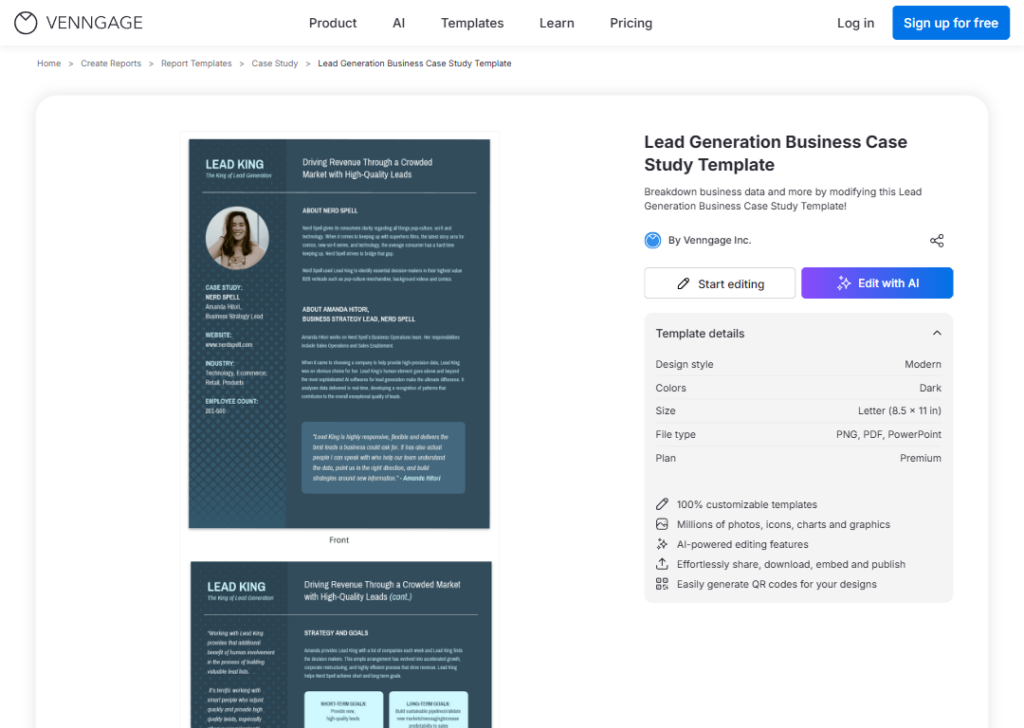
This template is created by Venngage and is described as a visual, engaging lead generation business case study with a dark color style, sized for Letter (8.5 x 11 in).
It’s available to download as PNG, PDF, or PowerPoint under a Premium plan.
It is a two-page, visually rich document for businesses that want to show how they helped a client get more leads.
It uses a dark, modern look with icons, photos, and data sections to make the story feel professional and sharp.
How to use or customize the template:
- Click the link above. Sign in to Venngage and click the “Start editing” button.
- Change the text on each page to match your own client story.
- Use the Image Upload tool to replace the cover photo with a photo of your client or their product.
- On the second page, swap out the icons in the icon library to fit your data points. Venngage has thousands of icons to choose from.
- To apply your brand’s colors quickly, open the “My Brand Kit” tab and let the tool pull your brand colors from your website.
- Add more pages if your story is longer.
- When done, share via a link or download as a PDF.
5. SaaS case study template (Venngage)
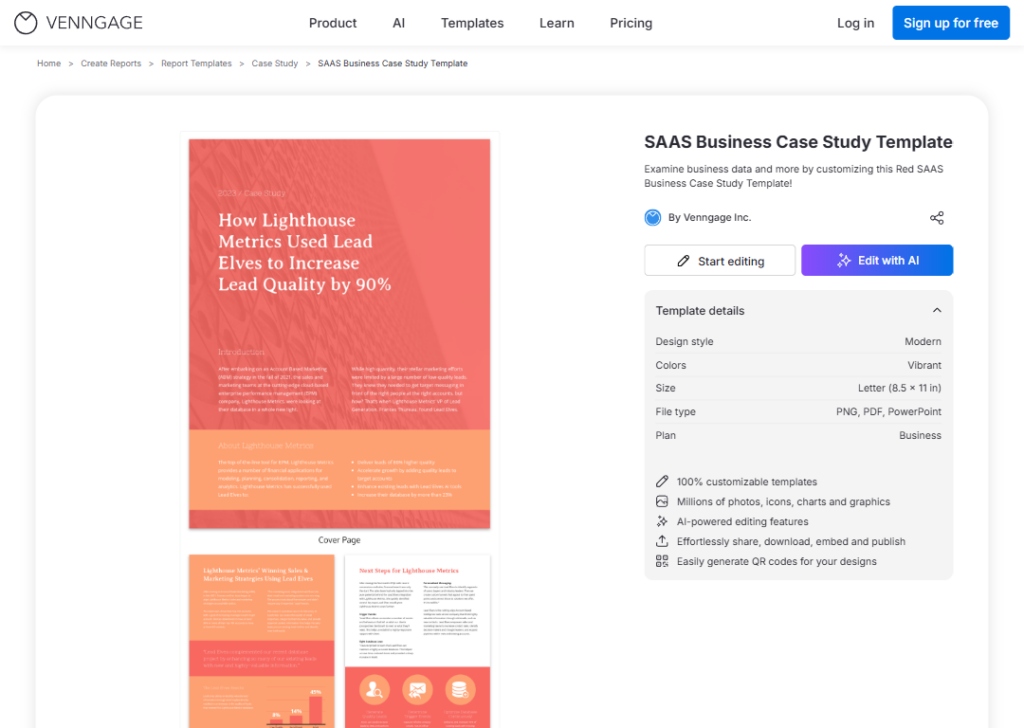
This template is created by Venngage, uses a vibrant, modern color style with red as the dominant color, and is sized at Letter (8.5 x 11 in).
It’s available as PNG, PDF, or PowerPoint under a Business plan.
It is a three-page template made for SaaS (software as a service) companies that want to show how their product helped a business client solve a problem.
It has a bold, high-contrast look with red headers and structured sections for the challenge, solution, and results.
The vibrant design makes it stand out in sales decks or client presentations.
How to use or customize the template:
- Click the link above. Sign in to Venngage and click the “Start editing” button.
- Start on the cover page. Replace the title and client name.
- On the second page, fill in the client’s problem and how your SaaS product addressed it.
- On the third page, add the results with real numbers like percentage improvements or time saved.
- To change the red to your brand color, click on any colored element and use the color picker.
- Add your company logo using the image upload feature.
- You can download the finished file as a PDF or export it as a PowerPoint to present in a meeting.
6. Product management case study template (Miro)
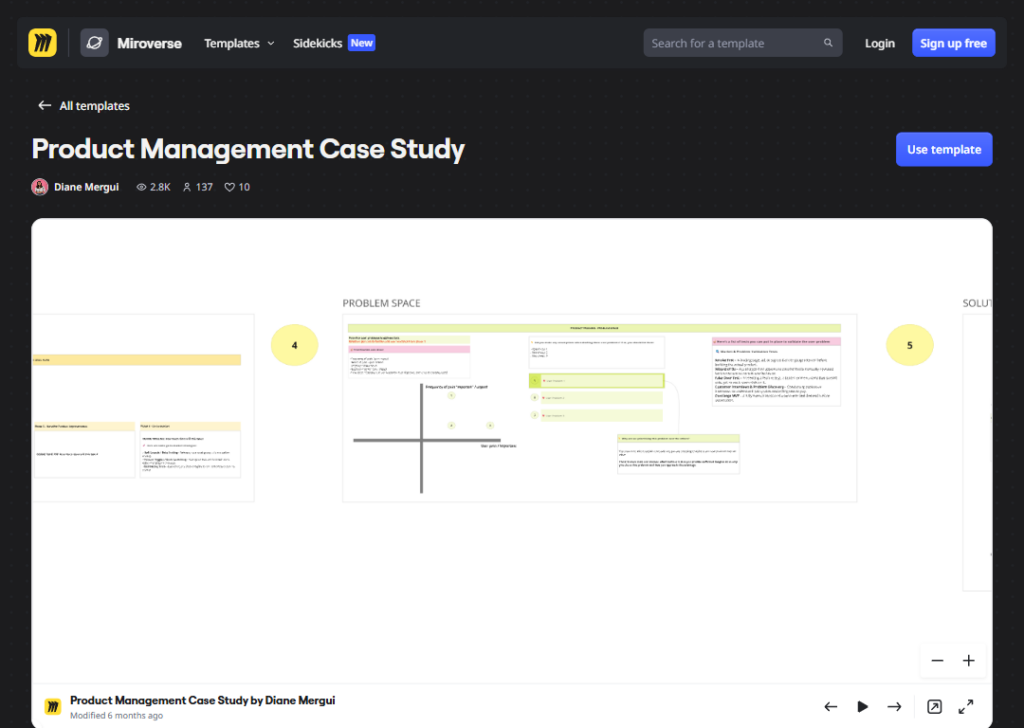
This template was created by Diane Mergui, a Staff Product Manager with over 10 years of experience who has coached over 50 PMs and teaches product management for a Paris-based bootcamp.
It is built to help product managers work through case studies with a clear, step-by-step approach. Whether for a job interview or for sharpening problem-solving skills.
The template gives you a structured path to follow. It guides you through understanding the problem, thinking about users, setting goals, and finding the right solution.
It is practical and grounded in real PM work, not just theory.
How to use or customize the template:
- Open the template in Miro using the link above. Click on the “Use template” button.
- Start by writing what the problem is and why it matters.
- Then describe the users who are affected. Set a clear goal, what does success look like?
- Next, list possible solutions and choose the best one based on impact and effort. Add your reasoning at each step.
- You can customize it by adding your own sticky notes, removing sections that don’t apply, or adjusting the layout on Miro’s canvas.
It works well for both interview prep and real project planning.
7. Marketing case study template (Miro)
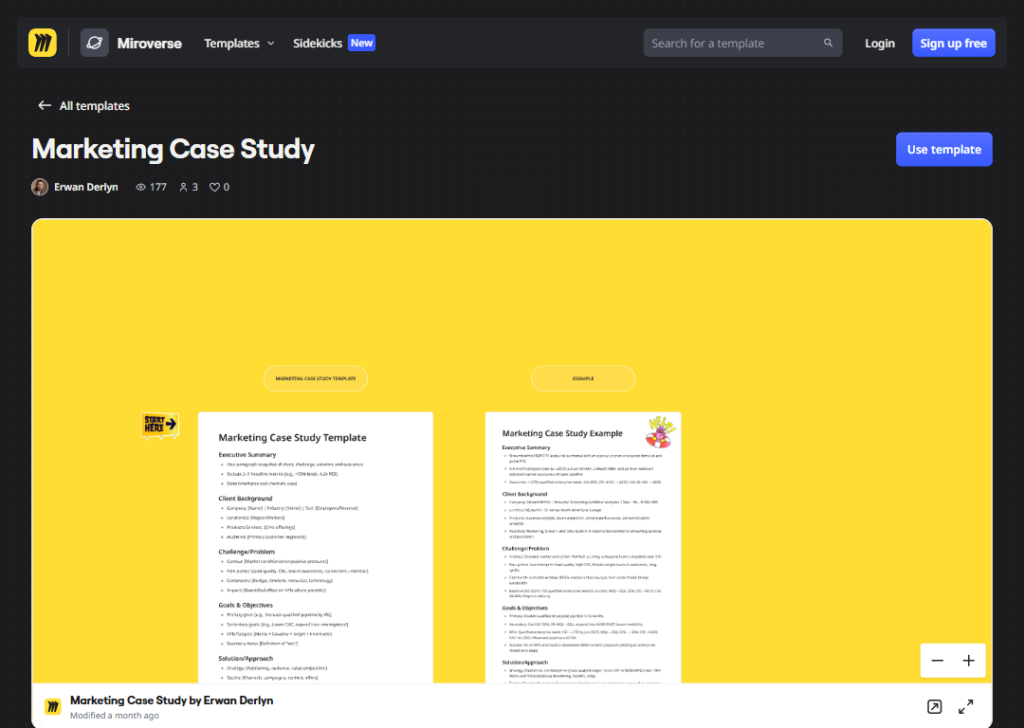
This template was created by Erwan Derlyn, a Senior Client Lead at Precis.
It’s described as helping teams document, analyze, and present campaign results in a clear and structured way, capturing objectives, strategy, execution, and results.
It is made for marketing teams and agencies. The goal is to turn real work into a clear story… one that shows what you set out to do, how you did it, and what happened.
It uses a story-driven format, which makes it good for reports, presentations, and sharing what you learned with others.
How to use or customize the template:
- Open the template in Miro using the link above. Click on the “Use template” button.
- Start with the Objectives section. Write what the campaign was trying to achieve, such as more sign-ups or more sales.
- Then fill in the Problem/Challenge section, what problem the brand was facing?
- In the Solution/Approach section, describe what you actually did and how.
- In the Results section, add your numbers: reach, clicks, conversions, and so on. You can add charts or images from your campaign directly onto the Miro board.
Remove any section that doesn’t fit your campaign, or duplicate sections if you ran more than one campaign at a time.
8. UX design case study template (Miro)
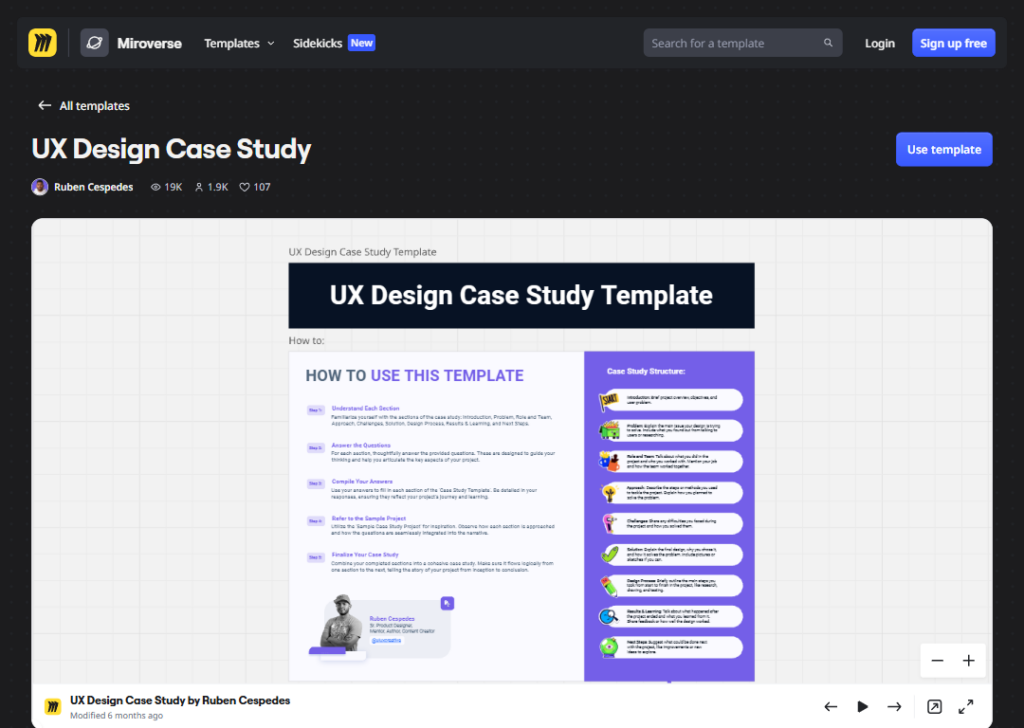
This template was created by Ruben Cespedes, a Senior Product Designer and Mentor at Dell Technologies with 19+ years of experience.
It has received 19K views, 1.9K uses, and 107 likes, making it the most popular template in this group.
It is built for UX researchers, UI designers, and product designers who want to show their design process in a clear, professional way.
It covers each phase of a design project, from defining the user problem to showcasing the solution, and includes guided questions in each section to help you think critically and present your findings effectively.
How to use or customize the template:
- Open the template in Miro using the link above. Click on the “Use template” button.
- Answer the guided questions. Each section of the template has questions already written inside it.
- Read each question carefully and write a full, detailed answer. This covers all the key parts of your design project.
- Take your answers and fit them into the template’s structure. Make sure the flow moves in a clear order… from identifying the problem, through your design process, to the solution you built.
- Read through every section and check that each one flows naturally into the next. The goal is one clear, connected story of your UX project from start to finish.
9. Light simple business case study template (Venngage)
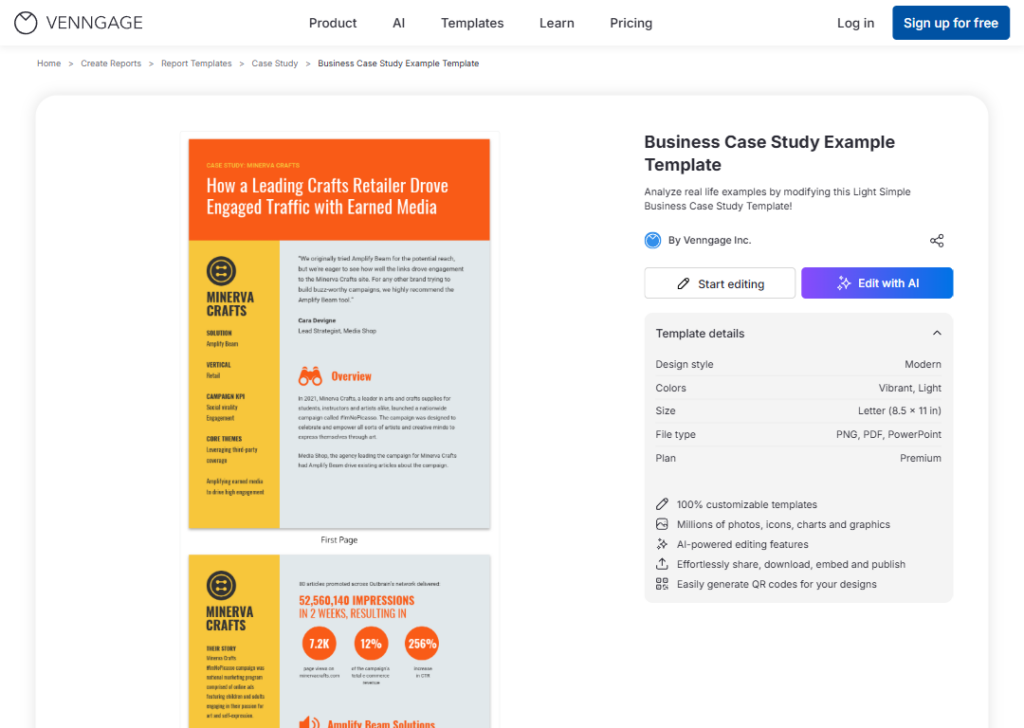
This template is created by Venngage and is described as a light, vibrant, modern-style design for analyzing real-life business examples, sized at Letter (8.5 x 11 in).
It’s available as PNG, PDF, or PowerPoint under a Premium plan.
It has a clean, ash background with yellow and red colors, making it easy to read and very professional.
It is a good pick for businesses or students who want a simple, polished look without heavy design.
The layout is straightforward with sections for the client, the problem, the solution, and the results.
How to use or customize the template:
- Click the link above. Sign in to Venngage and click the “Start editing” button.
- Replace the placeholder company name and details with your own.
- Add your client’s logo by uploading an image.
- Change the colors to match your brand using the color editor.
- If you need more space, duplicate a page within the editor.
The template is clean by design, so avoid adding too many extra elements. Keep it simple.
When finished, download as a PDF or share a link directly.
10. Social media management case study template (Venngage)
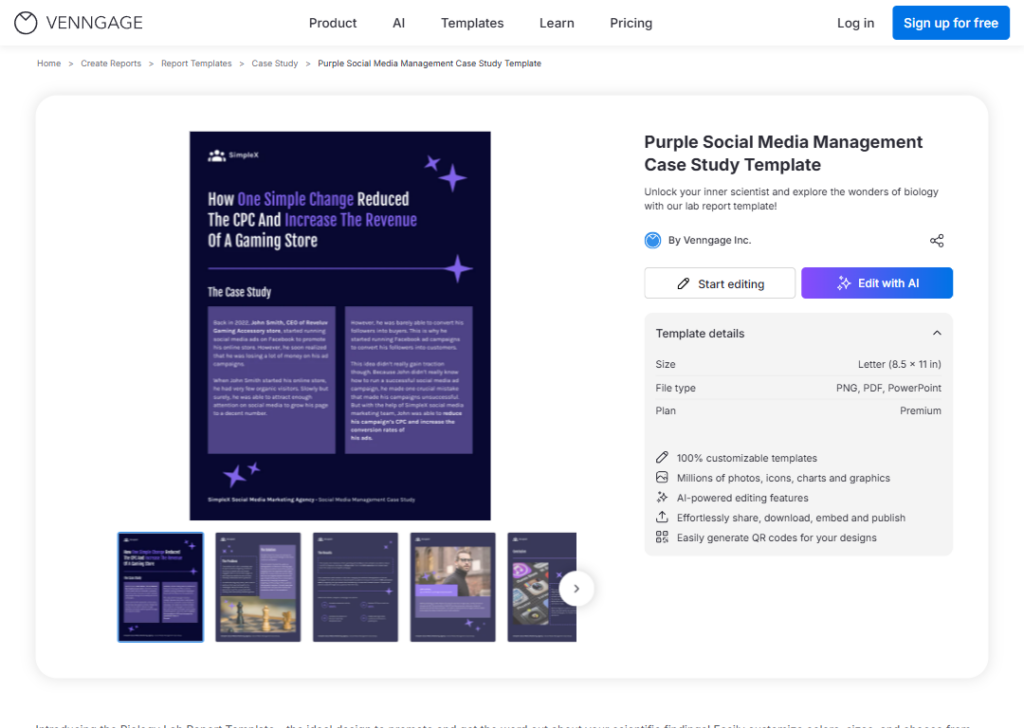
This template is created by Venngage, uses a dark purple color scheme, spans 5 pages, is sized at Letter (8.5 x 11 in), and is available as PNG, PDF, or PowerPoint under a Premium plan.
It is designed for social media agencies or managers who want to show clients the results of a social media campaign in a detailed, multi-page format.
The dark purple style gives it a bold, modern feel that works well for digital or creative industry clients. With five pages, there is room to cover strategy, execution, results, and next steps in full detail.
How to use or customize the template:
- Click the link above. Sign in to Venngage and click the “Start editing” button.
- Start with the cover page. Add your agency name, client name, and campaign period.
- On the following pages, fill in the campaign goals, platforms used, content types, and key actions taken.
- Add your results data (follower growth, engagement rates, reach, or clicks) using the built-in chart and icon tools.
- Replace any placeholder images with real screenshots of posts or campaign visuals.
- Use “My Brand Kit” to switch the purple color scheme to your agency’s colors in one click.
- Export as PDF to send to your client, or as PowerPoint to present live.
Wrapping up
Case study templates save you time and help you explain your results in a way that people actually want to read.
Whether you need something simple and clean or bold and data-heavy, there is a template on this list that fits what you are doing.
Most of them take less than an hour to fill out and look polished right away.
But a great case study deserves more than just a good template. It deserves a great page to live on.
That is where Block Agency comes in. We build clean, sharp landing page that make your case studies look their best and turn visitors into real leads.
If you are ready to give your case studies a high-converting landing page, let’s talk here: hey@blockagency.co
Frequently asked questions
What is the format of a case study?
A case study follows a clear format. Start with a short intro about the client or problem. Next, explain the challenge. Then show the solution used. After that, share the results with numbers if possible. End with a short summary or lesson to make the story easy to follow.
What are the 5 components of a case study?
A case study has five key components. First is the client background. Second is the problem they faced. Third is the solution provided. Fourth is the results achieved, with clear proof. Fifth is the conclusion or takeaway that shows why the solution worked and what others can learn.
What are the four types of case studies?
There are four main types. Illustrative case studies explain a situation in a simple way. Exploratory case studies look into a problem before more research. Cumulative case studies collect data from many cases. Critical case studies focus on one case to question or test a common belief or idea.
What are the 5 essential elements of a great case study?
A great case study needs five elements. A clear goal, so readers know the purpose. A real problem that people can relate to. A simple solution that is easy to understand. Strong results with numbers or proof. A clear story flow that keeps the reader interested from start to finish.